twhite. The pic icon is not what you want. At the bottom left of the screen after you open reply box it says New Attachment. And there is a button that says choose files. Click the button. The system will walk you through selecting pic from photo album.
Happy shaves to ya!
The following 1 user Likes Wchnu's post: • GAW9576
(01-17-2021, 08:07 PM)Wchnu Wrote: twhite. The pic icon is not what you want. At the bottom left of the screen after you open reply box it says New Attachment. And there is a button that says choose files. Click the button. The system will walk you through selecting pic from photo album.
(01-17-2021, 08:07 PM)Wchnu Wrote: twhite. The pic icon is not what you want. At the bottom left of the screen after you open reply box it says New Attachment. And there is a button that says choose files. Click the button. The system will walk you through selecting pic from photo album.
Ok thank
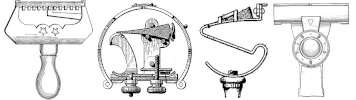
Yuppers. That is a good looking Auto Strop up there by the way
Happy shaves to ya!
The following 1 user Likes Wchnu's post: • GAW9576
01-17-2021, 09:45 PM (This post was last modified: 01-17-2021, 09:47 PM by GAW9576.)
twhite Pictures directly from device need to be 400kb or lower. I use an android phone for most of what I do online. I use an app called photo compress from Google play to compress the images.




![[Image: IMG_3482.JPG]](https://1.bp.blogspot.com/-zxByj0sVXTs/YAMgsv4A_iI/AAAAAAACMTA/c5ef_jbzh1Ukv5xDvJCgOBbz8VYhX1z4ACNcBGAsYHQ/s1587/IMG_3482.JPG)
![[Image: IMG_3483.JPG]](https://1.bp.blogspot.com/-zAHJ9Fpp-tU/YAMgs6AvhiI/AAAAAAACMTE/6jsqQUsOcZITxttIlhG3NSbbhEbiLtrXACNcBGAsYHQ/s1478/IMG_3483.JPG)